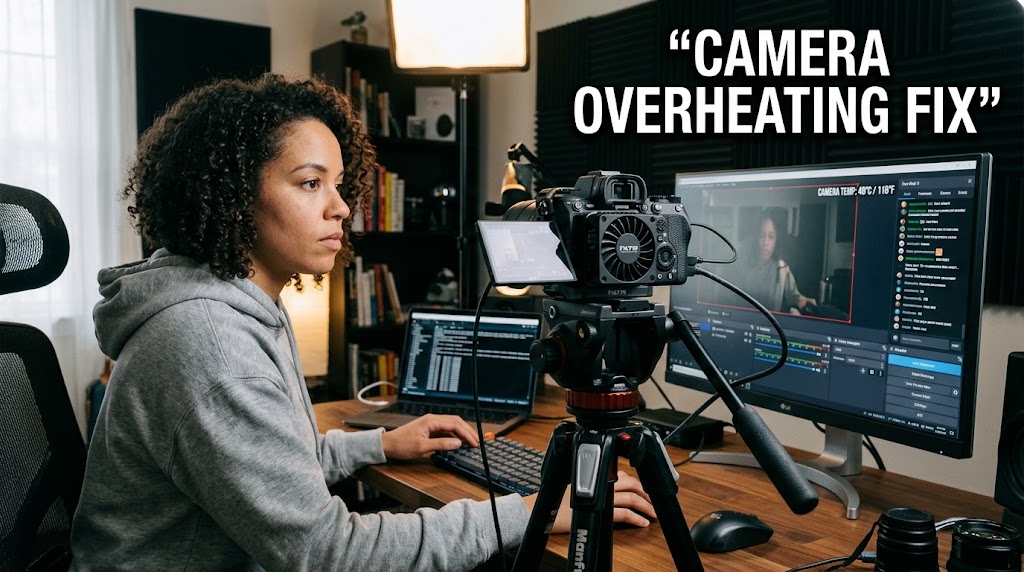
A pricey camera with creamy bokeh can look like a serious production upgrade until it suddenly shuts down around minute 40. mirrorless cameras for streaming can deliver a huge image-quality jump, but a stills-oriented body isn’t automatically designed to behave like a CCTV camera for hours. Sony itself notes that continuous video raises internal temperature and that cameras may shut down to protect their circuitry.
1. Mirrorless Cameras for Streaming and Cinematic Background Blur
The first mistake is choosing a camera because the picture looks gorgeous for five minutes. A livestream has a very different workload from taking a few photographs.
Why Cinematic Background Blur Can Hide the Real Problem
A wide-aperture lens creates attractive cinematic background blur, but shallow depth of field doesn’t solve thermal problems. Sensor activity, processing, resolution, frame rate, ambient temperature and power consumption all matter.
Sony recommends checking the individual camera’s operating guide because continuous video limits vary between models. Panasonic similarly warns that continuous recording and high ambient temperatures can cause protective shutdowns.
The 40-Minute Shutdown Isn’t Automatically a Defect
If your camera suddenly stops after extended use, don’t immediately assume it’s broken.
Check:
- Room temperature
- Direct sunlight or strong studio lights
- Resolution and frame rate
- Auto Power OFF temperature settings
- USB power compatibility
- Wi-Fi and other unnecessary functions
- The manufacturer’s documented recording limits
What Actually Causes Heat to Build Up
Think of the camera as a tiny computer with a sensor attached. It continuously processes an image, manages autofocus, powers displays and handles the outgoing video signal.
Running 4K simply because the camera can do it may create unnecessary workload when your streaming platform ultimately needs a 1080p feed.
Use the Camera’s Thermal Settings Carefully
Some Sony models offer an Auto Power OFF Temp. setting that can extend continuous operation. Sony also recommends avoiding direct sunlight, lowering resolution where practical and using compatible external power.
That doesn’t mean overriding thermal protection is always safe. Your model’s manual remains the final word.

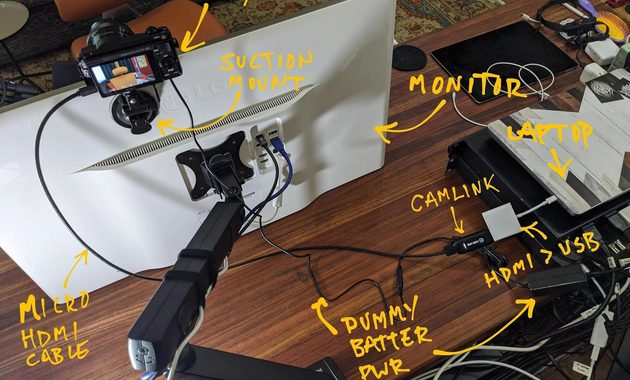
2. Dummy Battery Hack and Clean HDMI Output for Long Streams
For a fixed streaming desk, two upgrades often matter more than buying another expensive lens: reliable power and a clean video signal.
The Dummy Battery Hack for Continuous Power
The dummy battery hack replaces the normal battery with a compatible external power solution. It’s useful for long sessions because you don’t have to stop a stream to swap batteries.
However, don’t buy a random adapter because it fits physically. Voltage, connector design and camera compatibility matter.
Use a manufacturer-approved solution or a reputable coupler designed specifically for your camera.
Clean HDMI Output Removes the Ugly Overlays
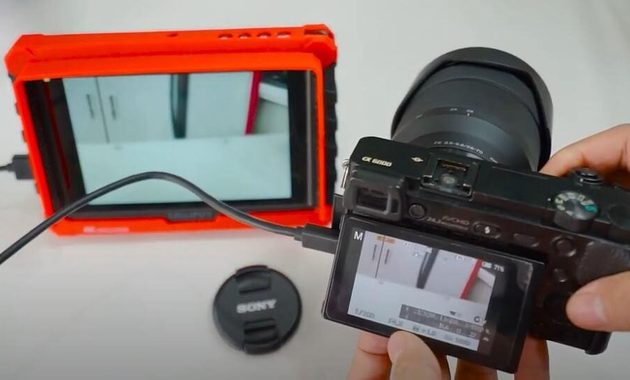
Clean HDMI output means the HDMI feed doesn’t carry camera interface information such as battery level, exposure indicators or recording status. Panasonic describes clean HDMI in exactly this context and explains how a capture card can turn the HDMI signal into a source for streaming software.
The classic setup is:
Camera → HDMI → capture card → computer → OBS → streaming platform
That setup remains popular because it’s simple to troubleshoot and works independently of many proprietary webcam applications.
USB Streaming Can Be Simpler on Newer Cameras
HDMI isn’t automatically superior.
Some newer models support direct USB webcam functionality. Canon’s EOS R50 V, for example, supports UVC/UAC over USB-C and USB power delivery, while also offering clean HDMI for more advanced setups.
So before buying a capture card, check whether your camera already provides a reliable USB streaming mode.
If you’re comparing different camera approaches, this guide to live video camera streaming options can help you evaluate the workflow before spending more money.
Don’t Confuse Power Problems With Heat Problems
A dummy battery solves a power limitation. It doesn’t magically cool the sensor.
Likewise, clean HDMI improves the video signal but has nothing to do with thermal performance.
Keep those problems separate when troubleshooting.
3. Camera Overheating Fixes That Make a Three-Hour Stream More Reliable
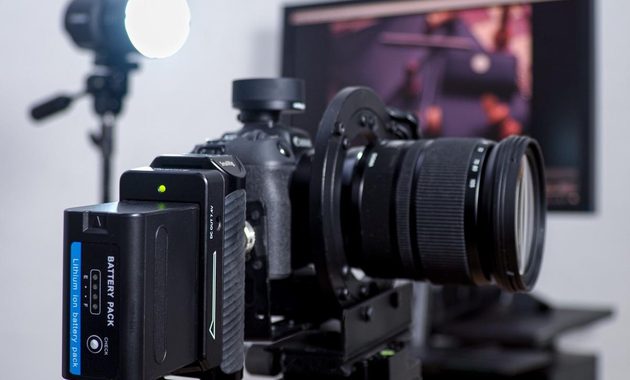
The best camera overheating fix is usually boring. Better airflow, sensible settings and stable power beat desperate last-minute tricks.
Give the Camera Room to Breathe
Don’t push the camera against a wall or trap it inside a cramped enclosure.
Leave space around the body and keep powerful lights from heating the camera directly.
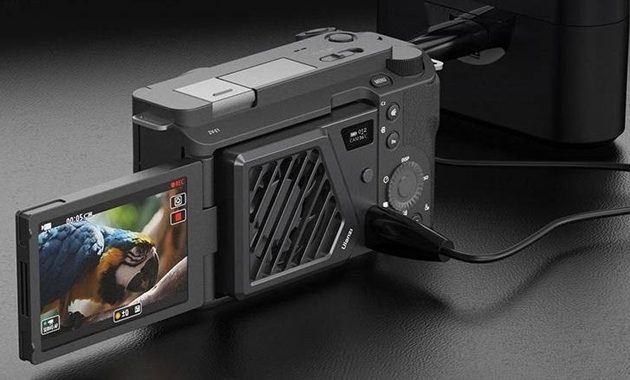
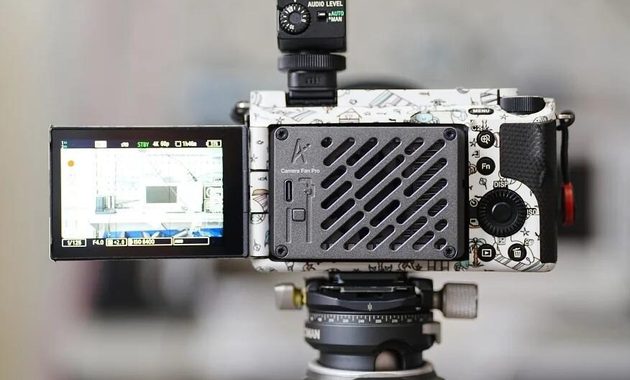
External cooling fans can help in demanding setups, but they’re an additional layer rather than a guaranteed solution. Some modern cooling accessories are specifically designed to move heat away from mirrorless bodies during extended video use.
Lower the Workload Before Adding Cooling
If your audience watches a 1080p stream, running an unnecessarily demanding 4K mode may offer little practical benefit.
Try this order:
- Set the actual resolution you need.
- Reduce unnecessary processing features.
- Improve airflow.
- Use reliable external power.
- Add active cooling if necessary.
- Test the complete setup.
Run a Full Private Test First
Don’t discover a thermal problem during a sponsored stream.
Run the exact camera, lens, lights, capture card, power supply and OBS settings for at least the length of your intended broadcast.
Watch for:
- Temperature warnings
- HDMI dropouts
- USB disconnections
- Power warnings
- Image freezes
- Fan noise entering the microphone
Sony recommends turning the camera off and allowing it to cool when an overheating warning appears.
The Best Setup Is the One That Finishes the Stream
This is where mirrorless cameras for streaming become a practical decision rather than a gear-flex exercise.
A camera producing gorgeous cinematic background blur isn’t much use if it quits halfway through an event. Likewise, the best camera overheating fix may simply be choosing a body designed for sustained video operation in the first place.
The dummy battery hack handles endurance, while clean HDMI output handles the signal. Neither replaces proper thermal design.


Elodie Marceau is a former audiovisual technician who worked with small studios, cultural organizations, and independent production teams. She has practical experience with cameras, microphones, mixers, lighting equipment, capture cards, encoders, and livestream software. Her reviews focus on how equipment performs in realistic working environments, including small rooms, temporary studios, mobile setups, and limited-budget productions.