Many creators search for TikTok live streaming tools because they want their live sessions to look cleaner, feel more interactive, and run with fewer awkward problems. The difficult part is that “tools” can mean many things at once. It can mean TikTok’s own LIVE settings, moderation controls, guest features, creator analytics, commercial disclosure, a better microphone, a lighting setup, or software used outside the app.
In 2026, the smarter way to think about TikTok live tools is not “use as many tools as possible.” The smarter question is whether each tool supports the type of live stream being produced. A creator doing casual chat does not need the same setup as a seller running product demos. A gaming creator does not need the same workflow as a beauty creator. A learning host does not need the same control layer as a music performer.
For Top Livestream Sound of Text, this topic belongs in the Tools category because it reviews the full creator workflow around TikTok Live, not only one camera, one microphone, or one piece of software.
TikTok Live Streaming Tools Work Best As A System
A tool is only useful when it solves a real stream problem. Some creators need better interaction. Some need safer chat. Some need clearer product disclosure. Some need guest control. Some need post-live review. Others simply need to stop overcomplicating a live session that already works.
TikTok says LIVE lets viewers and creators interact in real time, and creators may have access to features such as effects, multi-guest hosting, moderation, LIVE Gifts, and other settings. TikTok also notes that LIVE and Gift features are not available everywhere, which means creators should not assume every tool appears the same in every account or region.
Native LIVE Tools Are The Starting Layer
The first tool layer is inside the TikTok app itself. Before adding outside software or extra gear, creators should understand what TikTok already gives them during a LIVE session.
TikTok’s basic go-live flow includes tapping the Add post button, choosing LIVE, adding a title, using LIVE tools or adjusting settings, and tapping Go LIVE. TikTok also says creators can adjust LIVE tools and settings, including safety settings, during the LIVE by tapping More and then Settings.
That makes native tools important for creators who want a simple workflow. They are not always the most advanced option, but they are the tools closest to the audience experience.
Eligibility Still Decides Whether Tools Appear
A creator cannot review TikTok tools properly without mentioning eligibility. TikTok says creators must be at least 18 years old to go LIVE, at least 18 years old or 19 in South Korea to access Gifts or collect Diamonds, and must meet a local minimum follower threshold.
This matters because a creator may think a tool is missing because of a phone problem, app bug, or wrong setting. Sometimes, the account simply does not meet the requirement for that LIVE feature.
Region And Account Differences Change The Experience
A TikTok Live setup should not be planned as if every creator sees the same panel. TikTok’s own Help Center notes that LIVE and Gift features are not available everywhere.
That means advice about tools should stay practical. A creator should check what appears in their own account, test before the real live session, and avoid building a workflow around a feature they have never confirmed.
TikTok Studio Makes Creator Management More Data-Focused

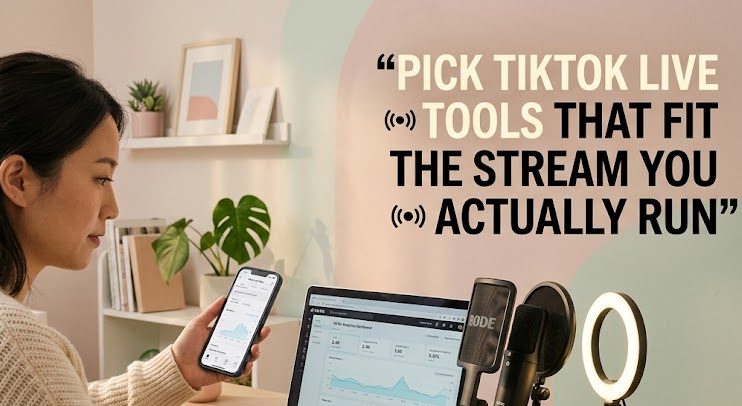
TikTok Studio is not just a “go live” button. It is closer to a creator management space. The Google Play listing for TikTok Studio, published by TikTok Pte. Ltd., describes it as a tool for creation, safety and privacy, monetization, audience insights, and managing posts, comments, and community engagement.
For live creators, this matters because a live stream does not begin when the camera turns on. It begins with planning, audience understanding, content review, and community management.
Analytics Tools Are Useful Before The Stream
A creator can use analytics to understand what the audience already responds to. This does not mean copying old content forever. It means noticing patterns before choosing a live topic.
Useful signals may include:
- which content themes bring stronger engagement
- when the audience is more active
- what comments keep repeating
- which products or topics create questions
- which short videos could become a live discussion
- which audience segments need clearer explanation
TikTok Studio’s listing mentions audience insights and identifying content and engagement opportunities, which makes it relevant for creators who want live sessions to be planned from real audience behavior, not only instinct.
Management Tools Matter After The Stream
A live session often creates follow-up work. Creators may need to review comments, manage community engagement, check performance, prepare clips, answer missed questions, or decide whether the topic deserves another session.
This is where a creator management tool becomes more useful than another visual effect. A live stream with no follow-up can feel wasted, especially for educators, sellers, coaches, and niche creators.
Moderation Tools Are Not Optional For Growing Lives
Moderation becomes more important as the audience grows. A small live room may feel manageable with one host reading comments manually. A larger live room can become chaotic quickly.
TikTok says creators or moderators on LIVE can block certain messages and can report, mute, limit, or block viewers who violate Community Guidelines.
Comment Control Protects The Host And The Audience
A live chat is part of the show. If the chat becomes messy, the whole stream can feel less trustworthy. For creators who teach, sell, interview guests, or discuss sensitive topics, comment control is not only about removing rude viewers. It protects the flow of the live session.
TikTok’s LIVE issue guidance says creators or moderators may not see or send comments if LIVE comments are turned off, and some comments may not appear if comments are filtered, keywords are blocked, or a viewer is muted or blocked.
That shows why moderation settings should be checked before the live starts. A creator should know whether comments are open, filtered, or restricted before viewers begin asking why chat is not working.
Moderators Make Sense For Busy Formats
Some creators can host alone. Others should not. A live seller answering product questions, a coach running a session, or a creator managing guests may need a moderator to keep the room organized.
A moderator can help with:
- removing harmful comments
- watching repeated questions
- reminding viewers about rules
- helping manage spam
- identifying real questions
- keeping the host focused
- protecting guest comfort
The more interactive the stream becomes, the more moderation starts to feel like a production tool rather than a safety afterthought.
Guest Tools Are Better For Conversation-Based Streams
Not every TikTok Live should be a solo broadcast. Some streams work better when the creator brings another person into the session.
TikTok says the multi-guest feature allows creators to host guests during a LIVE video, with viewers able to send guest requests or creators inviting a limited number of guests to connect in audio or video mode.
Multi-Guest Works When The Format Needs More Voices
Multi-guest tools are useful for:
- interviews
- creator collaborations
- live coaching
- talent performances
- fan participation
- community discussions
- game-related sessions
- panel-style conversations
The tool is not automatically good just because it adds people. It works when the live topic benefits from another voice.
Layout Control Changes The Feeling Of The Stream
TikTok’s multi-guest help page describes layout options such as Panel, Grid, and Fixed layout. The Panel layout keeps the creator on the main screen and is recommended for one-on-one LIVE videos or guest audio chatting, while Grid gives guests more screen exposure and is recommended for talent performances or game play.
That is a useful detail because layout is not only cosmetic. A one-on-one interview and a group performance need different visual structure. The wrong layout can make the stream feel crowded or unbalanced.
Disclosure Tools Matter For Branded Live Content
Creators who promote products or services during TikTok Live need to think beyond camera quality. Trust depends on transparency.
TikTok For Business says that when posting content that promotes a brand, product, or service, users must turn on the commercial content disclosure setting, and content may be removed or restricted if proper disclosure is not displayed. Its instructions also include a path for turning on content disclosure from LIVE settings before going LIVE.
Sponsored Lives Need Clearer Boundaries
A branded live session can look casual, but it is still promotional content when a brand, product, or service is being promoted. This matters for creators who do:
- live shopping
- product demos
- affiliate-style sessions
- paid partnerships
- brand reviews
- sponsored events
- business lead generation
- product education
The disclosure tool is not an aesthetic feature. It is a trust feature.
Tools Cannot Replace Honest Presentation
Turning on a disclosure setting is only one part of the job. The creator still needs to present the live session honestly. Viewers should understand whether the creator is sharing a personal recommendation, promoting their own brand, or working with a brand partner.
The tool helps label the content, but the creator’s explanation still shapes viewer trust.
Fan And Community Tools Fit Relationship-Driven Creators
Some TikTok Live tools are less about production and more about loyalty. TikTok’s LIVE Fan Club feature allows eligible fans to support LIVE creators, interact in chat rooms, receive reminders when creators go LIVE, complete missions, earn points, and collect rewards.
Community Tools Reward Repeat Viewers
This matters for creators whose live sessions are not one-off events. A creator with recurring lives may need community habits more than fancy overlays.
Fan-based tools can support:
- regular attendance
- chat participation
- viewer recognition
- repeat engagement
- community identity
- live reminders
- loyalty-based rewards
For creators building a long-term audience, this can be more valuable than adding another visual effect.
Loyalty Features Should Not Turn The Stream Into Pressure
Community tools can help, but they should not make viewers feel forced to participate. A healthy live room should still feel welcoming to new viewers, quiet viewers, and viewers who cannot send gifts or join fan activities.
The best use of loyalty tools is to recognize committed viewers without making the whole stream feel closed to everyone else.
Replays And Review Tools Make Lives Less Disposable
A live stream feels temporary, but creators should not treat it as throwaway content. TikTok LIVE replays are saved recordings of past LIVE videos and are available for creators to view and download for 30 days.
Replays Help Creators Study Their Own Format
A replay can show what the creator missed during the live session. Maybe the intro took too long. Maybe the product demo was unclear. Maybe the chat became active only after a certain topic. Maybe the lighting looked worse than expected.
Reviewing replays helps creators improve:
- pacing
- camera angle
- product explanation
- response timing
- topic order
- moderation needs
- sound quality
- audience drop-off moments
This is why replay access should be treated as part of the toolset, not just a backup recording.
Short Clips Can Start From Live Review
A strong live moment can become short-form content later. A creator may find a useful answer, funny moment, product explanation, or audience reaction inside the replay.
The live session can then support the next content cycle instead of ending when the broadcast ends.
External Gear Still Matters More Than Many App Tools
TikTok’s internal tools help with interaction and management, but viewers still experience the live session through sound, light, framing, and stability.
Audio Is Often The First Serious Upgrade
A creator can use the right settings and still lose viewers if the audio is hard to hear. A basic external microphone or reliable headset can make the live feel easier to watch.
This matters for:
- teaching
- selling
- storytelling
- music discussion
- interviews
- coaching
- product demos
- commentary
The microphone does not need to be expensive. It needs to be clear, consistent, and placed correctly.
Lighting Makes Mobile Lives Look More Intentional
Many TikTok creators stream from phones, so lighting matters more than complicated camera gear. A soft light in front of the face can improve the live more than extra effects.
Bad lighting makes the live feel accidental. Clean lighting makes even a simple phone stream look prepared.
A Stable Mount Changes The Whole Feeling
A shaky phone makes viewers tired. A basic tripod or phone mount is one of the simplest tools for TikTok Live. It keeps the frame stable and frees the creator’s hands for demonstration, notes, products, or chat management.
For live shopping, teaching, and beauty content, stable framing can matter as much as the camera itself.
The 2026 Review Is Simple
TikTok live streaming tools are useful, but only when creators choose them for the stream they actually run. Native LIVE settings help with quick control. TikTok Studio supports planning, insights, management, and community work. Moderation tools protect the room. Guest tools support conversation. Disclosure tools protect trust. Replays help creators improve after the stream. External gear fixes the parts viewers notice immediately.
The weak approach is collecting tools without a clear format. The better approach is matching each tool to a real problem.
A casual creator may only need a phone mount, clean lighting, a simple mic, and native TikTok LIVE settings. A seller may need disclosure, moderation, product notes, and replay review. A community host may need fan tools and live reminders. A collaboration creator may need guest settings and layout control.
In 2026, the best TikTok Live setup is not the most complicated one. It is the one where every tool has a job before the creator taps Go LIVE.

Elodie Marceau is a former audiovisual technician who worked with small studios, cultural organizations, and independent production teams. She has practical experience with cameras, microphones, mixers, lighting equipment, capture cards, encoders, and livestream software. Her reviews focus on how equipment performs in realistic working environments, including small rooms, temporary studios, mobile setups, and limited-budget productions.